
Both sides of the story.
Record your microphone and system audio together. Start from the menu bar, or let a linked calendar meeting start the recording.
Explore recording ↗A little more present. A lot less note-taking.
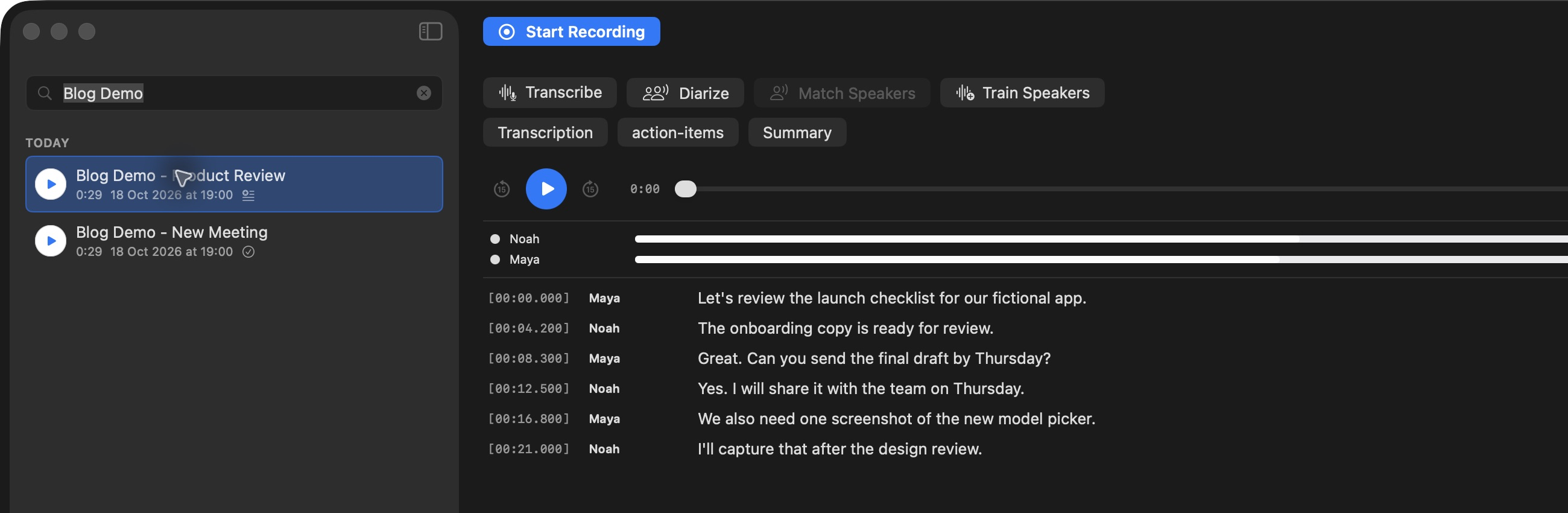
Record meetings, turn speech into a timestamped transcript, and find who said what. All from a Mac app that keeps recording and transcription on your device.
From conversation to clarity
For client calls, team reviews, and conversations you want to remember.
Record your microphone and system audio together. Start from the menu bar, or let a linked calendar meeting start the recording.
Explore recording ↗Transcribe after recording, label speakers, and jump from a line of text straight to the audio behind it.
Explore playback ↗Run optional AI tasks to draft summaries and action items. Review the result beside the original transcript.
Explore AI notes ↗Less searching. More context.
A recording is only useful if you can find your way back. Timestamps and editable speaker names make a long conversation easier to navigate.
Meet your speaker library ↗Your next draft, ready to review
Create a summary, a decision log, or a list of action items. Choose a cloud provider or a local Ollama setup, and keep each result beside the transcript.
See how summaries work ↗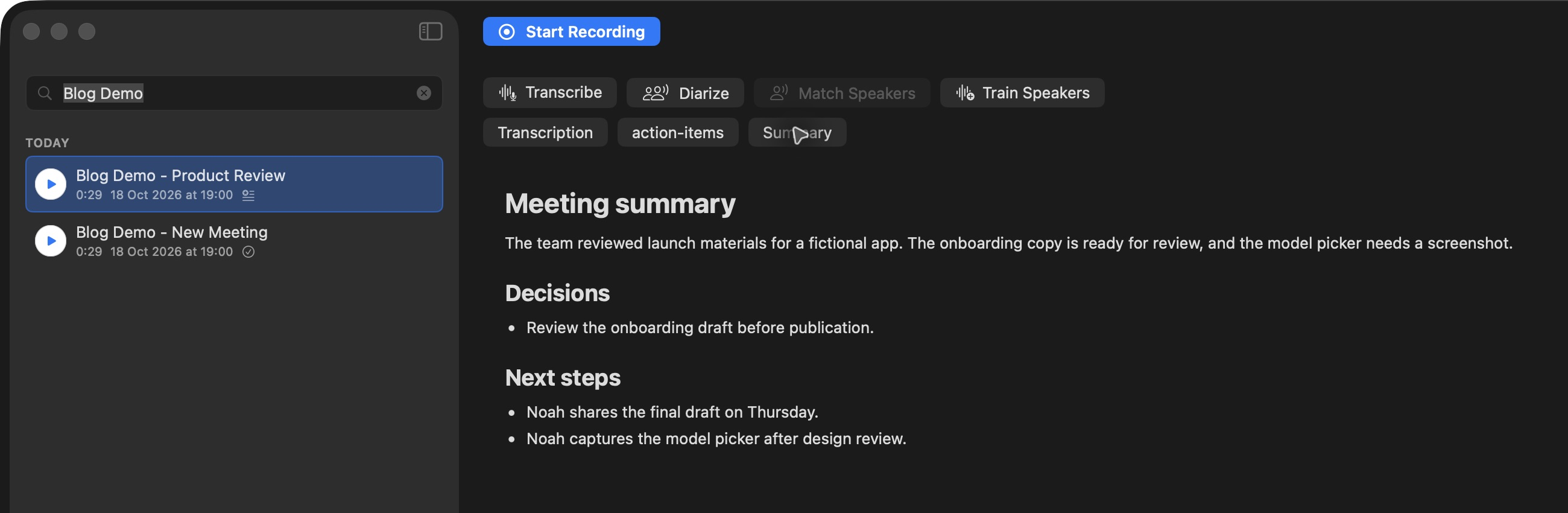
Privacy, explained plainly
Recording, transcription, and speaker processing run locally. You choose when an optional AI task uses an external provider.
Read the privacy policy ↗The Tironian field guide
GETTING STARTED · 1 MIN READFrom your first model download to the words on the page.
 WORKFLOW · 1 MIN READ
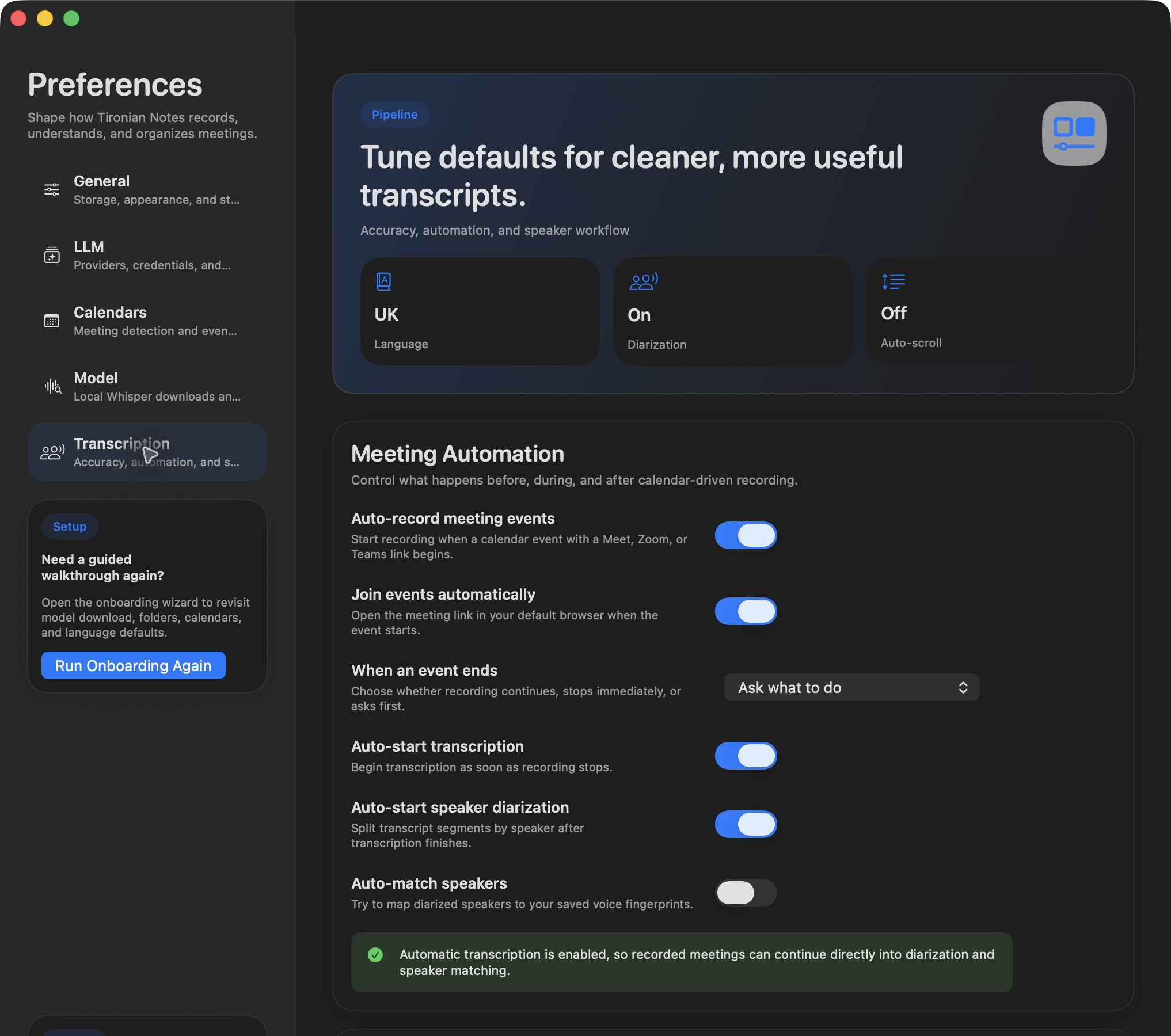
Set up eligible meetings and choose what happens at the end.
AI NOTES · 1 MIN READA focused prompt can make the next step easier to see.
Before your first meeting
The app is free to download. Optional cloud AI services may charge separately under your provider account.
Transcription runs after recording. You can start it manually or have it begin automatically when recording stops.
You can record microphone and system audio on your Mac. Calendar automation detects supported meeting links in selected calendars, including Meet, Zoom, and Teams.
Recording, transcription, and speaker analysis run locally. If you run an AI task with a cloud provider, that task sends transcript text to the provider you selected. The website uses optional analytics cookies.
Make room for the conversation
Enter your email to receive the free Mac app download link.