
Recognize Familiar Voices in Future Meetings
Generic speaker labels become more useful when they correspond to people you meet often. Tironian Notes can learn from a transcript you have named, then try to match those voices in a later recording.
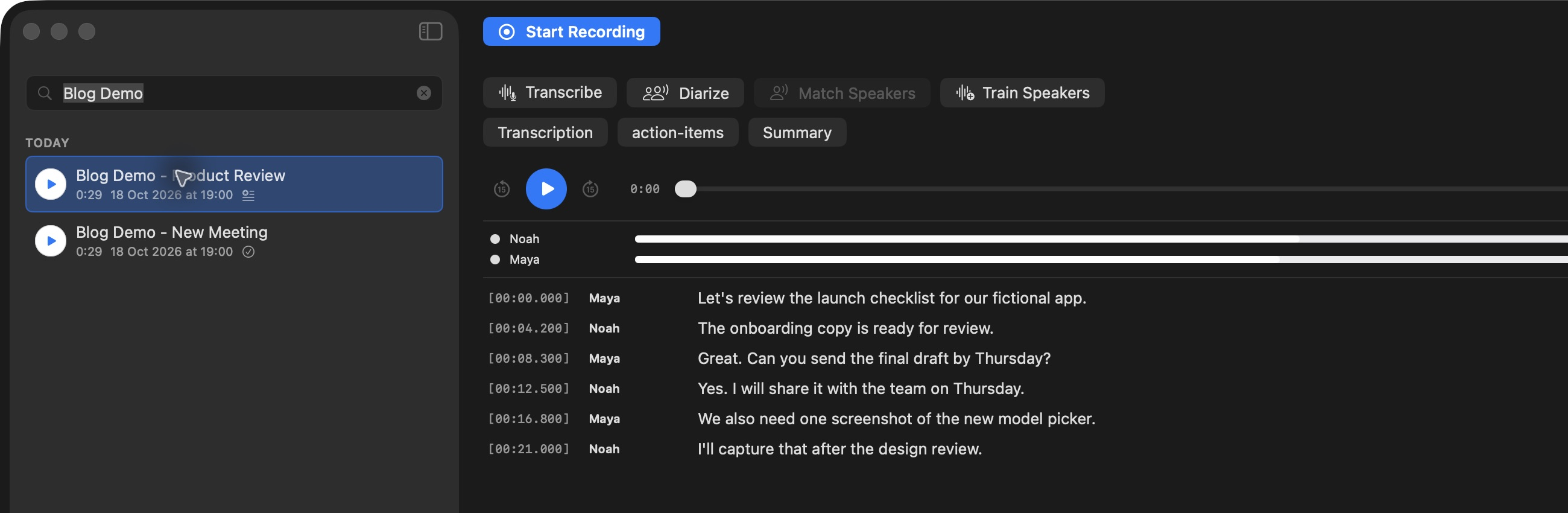
Start with a transcript whose speaker labels you have checked against the audio.
The workflow is label → train → match. Click a generic speaker tag and rename it. Use Apply All when every occurrence of that tag belongs to the same person. Once the transcript has reliable names, use Train Speakers or the Speakers window's Re-train All Speakers to build voice fingerprints from named transcripts. For a new recording, transcribe and diarize it, then click Match Speakers.
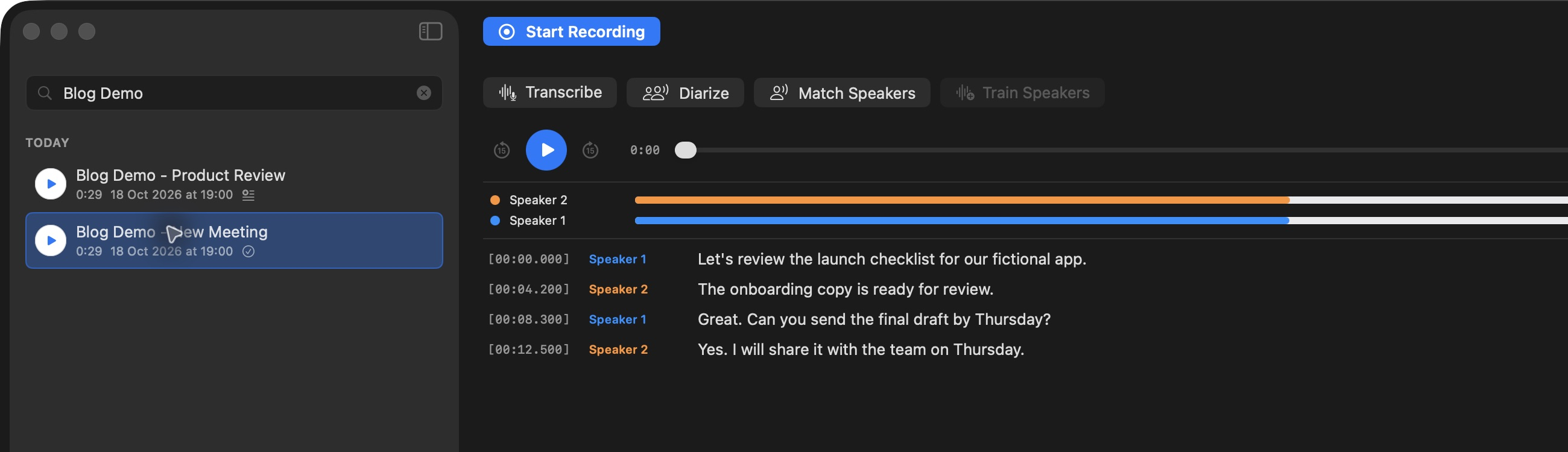
Matching works on generic Speaker N labels; a new voice can remain generic.
Speaker recognition is local. It is also deliberately cautious: a voice that does not clear the confidence threshold remains Speaker N, and you can name it yourself. Review matches before relying on them in a meeting record. For a library built across many recordings, Re-train All Speakers uses the named transcripts in your output folder.