
Make Your Own Action Items, Decisions, and Follow-Ups
A summary is one possible output from a transcript. You can make a separate post-processing task for the exact format you need, such as a table of owners, actions, and due dates.
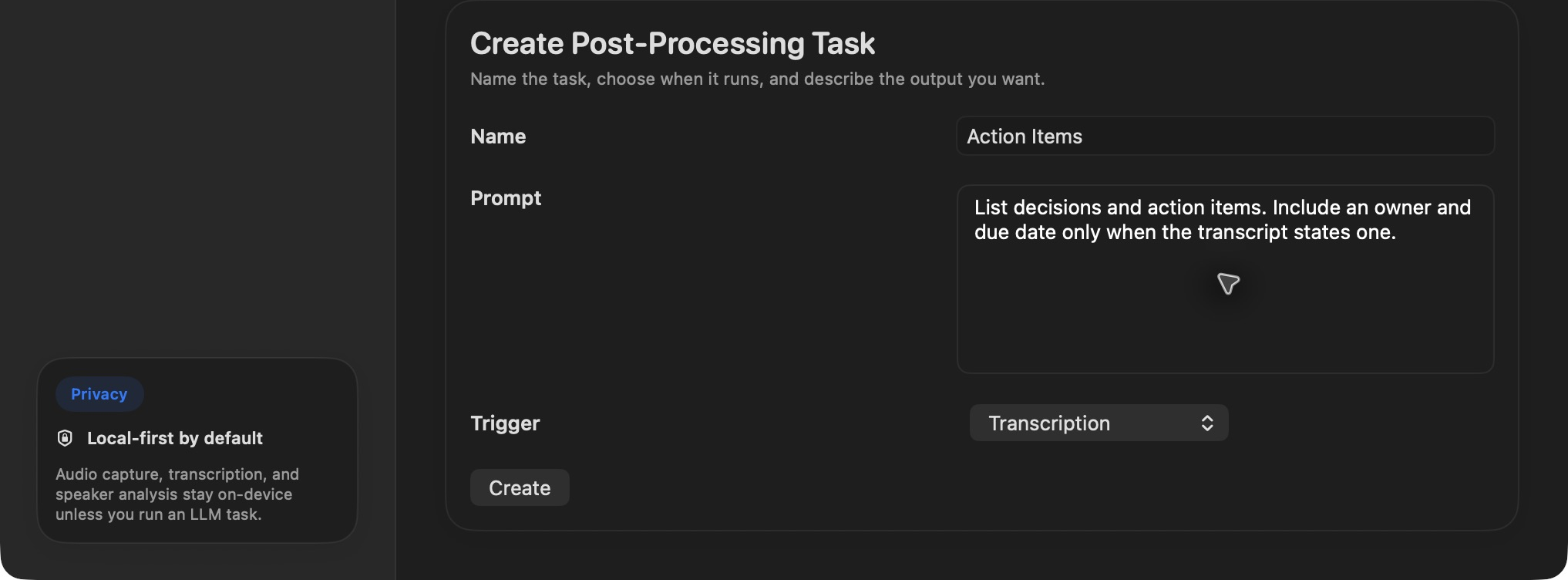
Each task has a name, a prompt, and a trigger.
Open Preferences → LLM and create a task named Action Items. Write a narrow prompt: “List decisions and action items. Include an owner and due date only when the transcript states one.” Set Trigger to Transcription for automatic execution, or choose None (Manual Only) and run it from a recording's Trigger LLM Task context menu. Triggers can also follow diarization or speaker matching when the task benefits from those labels.
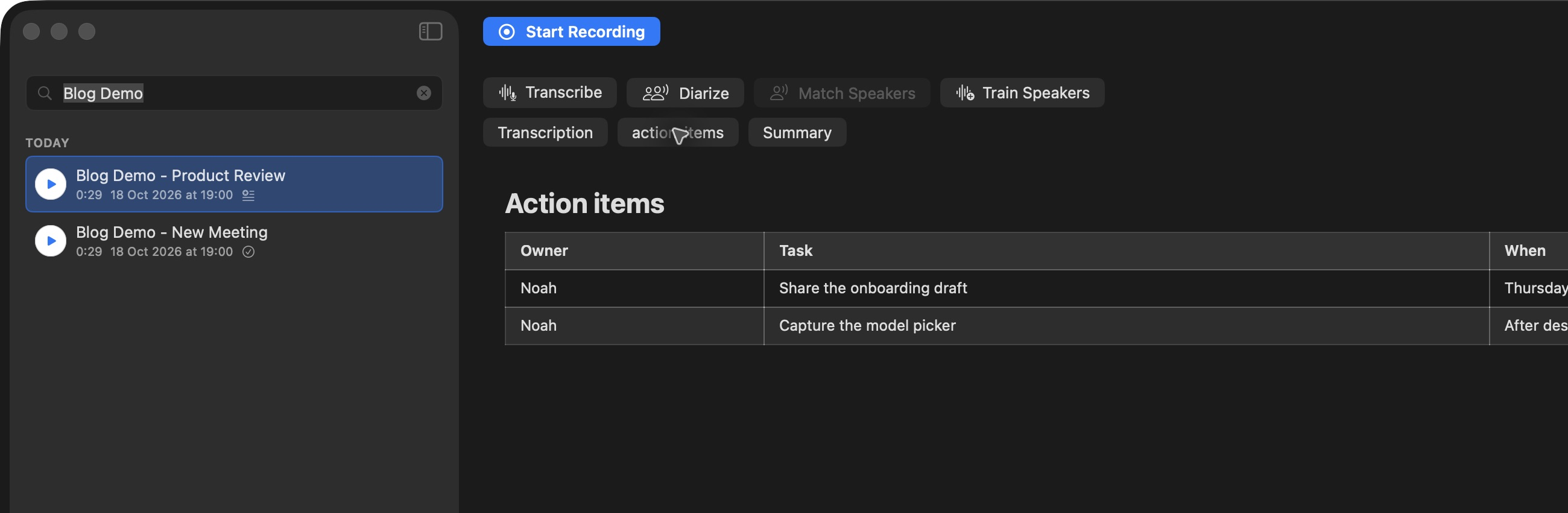
The result appears in its own tab and is saved as a task-named .md sidecar beside the recording.
One task can focus on decisions, another on follow-up email ideas, and another on risks. Keep prompts specific and check the result against the transcript, especially for names and dates. A cloud provider receives transcript text when it runs the task; local Ollama can keep that stage on your machine.