
Stop on Time, Keep Recording, or Decide Later
Calendar meetings rarely end at exactly the scheduled minute. Tironian Notes lets you choose what an event-linked recording does when its calendar end time arrives.
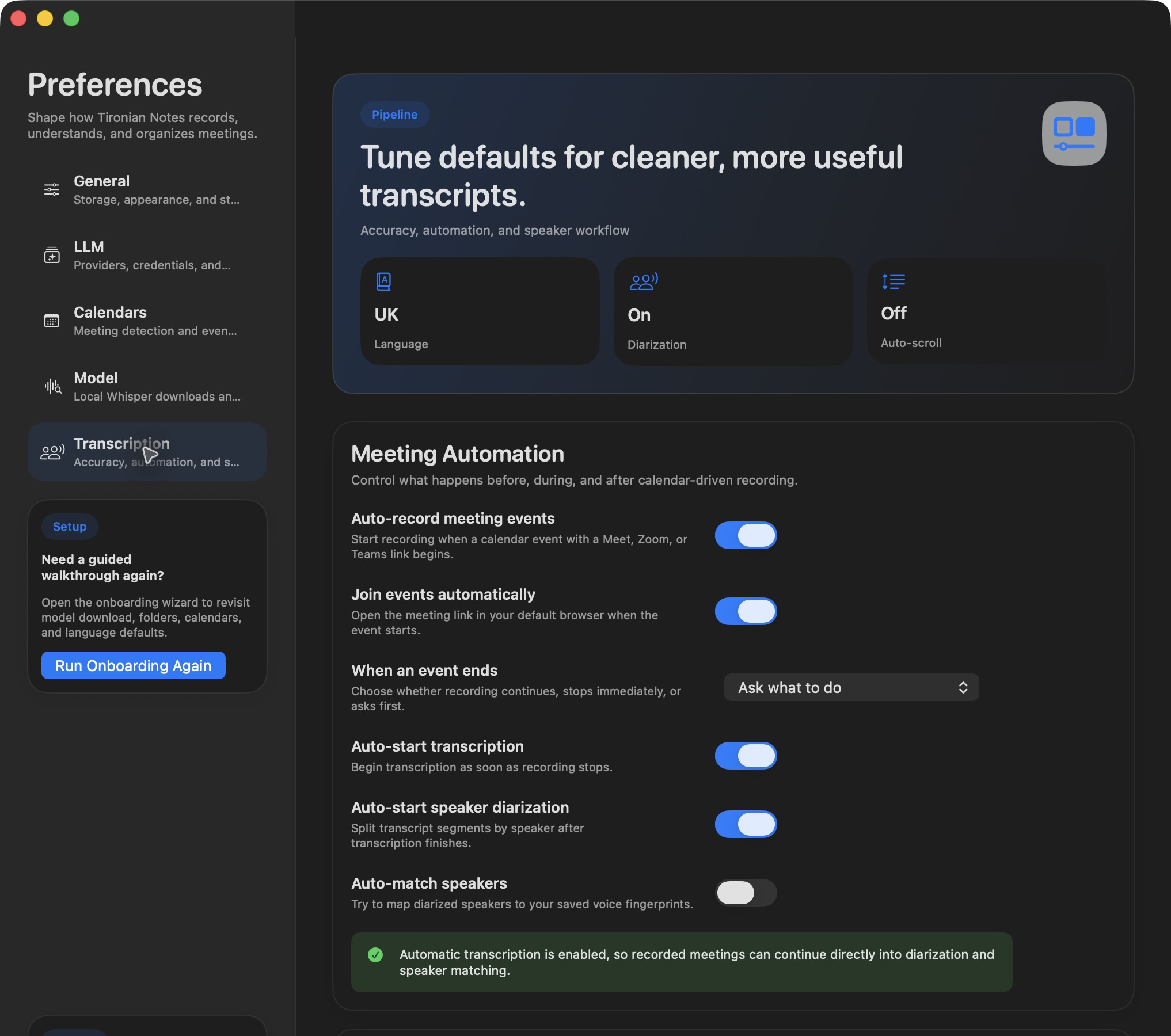
The When an event ends setting controls the behavior for calendar-driven recording.
Open Preferences → Transcription → When an event ends and choose the behavior that fits your meetings. Keep recording leaves the recording running until you stop it. Stop recording automatically ends it at the calendar time. Ask what to do shows a prompt at the end, where you can choose Stop Recording or extend by 5, 10, 15, 30, or 60 minutes.
For meetings that frequently overrun, Ask what to do is a practical default: it avoids a cutoff while still giving you a clear stopping point. For tightly scheduled sessions, automatic stop keeps the file bounded. If you select Keep recording, watch the recording timer and stop manually once the discussion is over.
The choice applies to event-linked recordings; a manual recording does not acquire a calendar end just because it occurs near an event. Next, learn how the silence watchdog catches a forgotten recording.