
Get a Recording Reminder When a Call Starts
Calls do not always arrive as calendar events. If a supported browser or calling app begins using your microphone, Tironian Notes can offer a recording prompt so you can decide whether to capture the conversation.
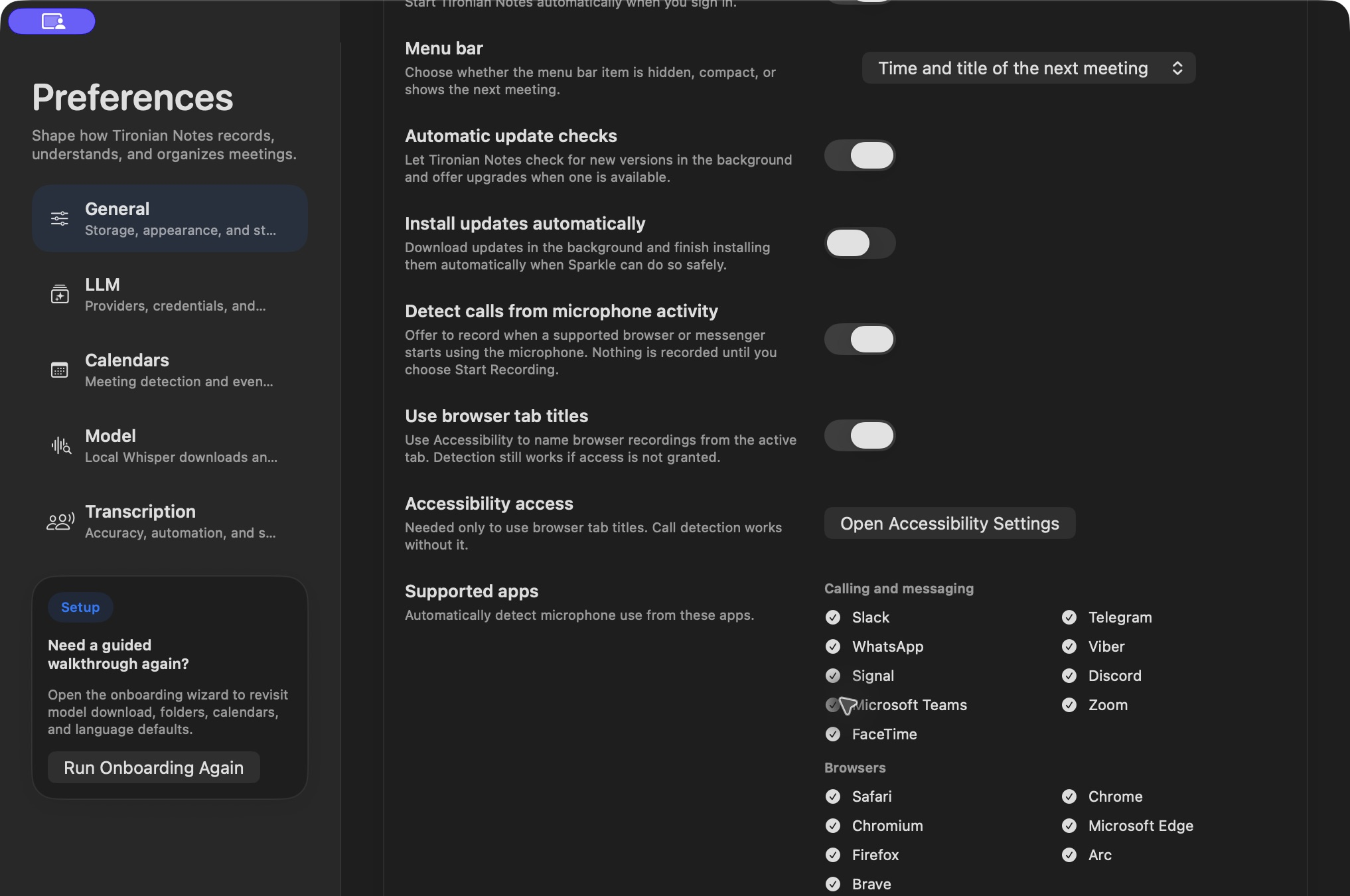
The opt-in Detect calls from microphone activity control lists supported calling apps and browsers.
Enable Detect calls from microphone activity in Preferences → General. The app watches for microphone use by the supported processes and offers Start Recording or Not Now when a call is detected. Nothing is recorded merely because the prompt appears. Choosing Not Now suppresses repeat prompts for that process session, so one dismissed call does not keep interrupting you.
For browser calls, Use browser tab titles can help name a recording from the active tab. That naming option requires Accessibility access; call detection itself can work without it. Keep that permission off if the default name is sufficient for you.
This feature is a reminder, not a replacement for checking whether everyone agrees to be recorded. Test it with a supported app and confirm the recording timer starts only after you choose Start Recording. Next, join a scheduled meeting from the menu bar.